Work OS
A quiet, local-first home for open work: what needs my reply, who I'm waiting on, and what we decided. I designed and built it for myself as a product manager.
Try the demo Runs in your browser with made-up data
The problem
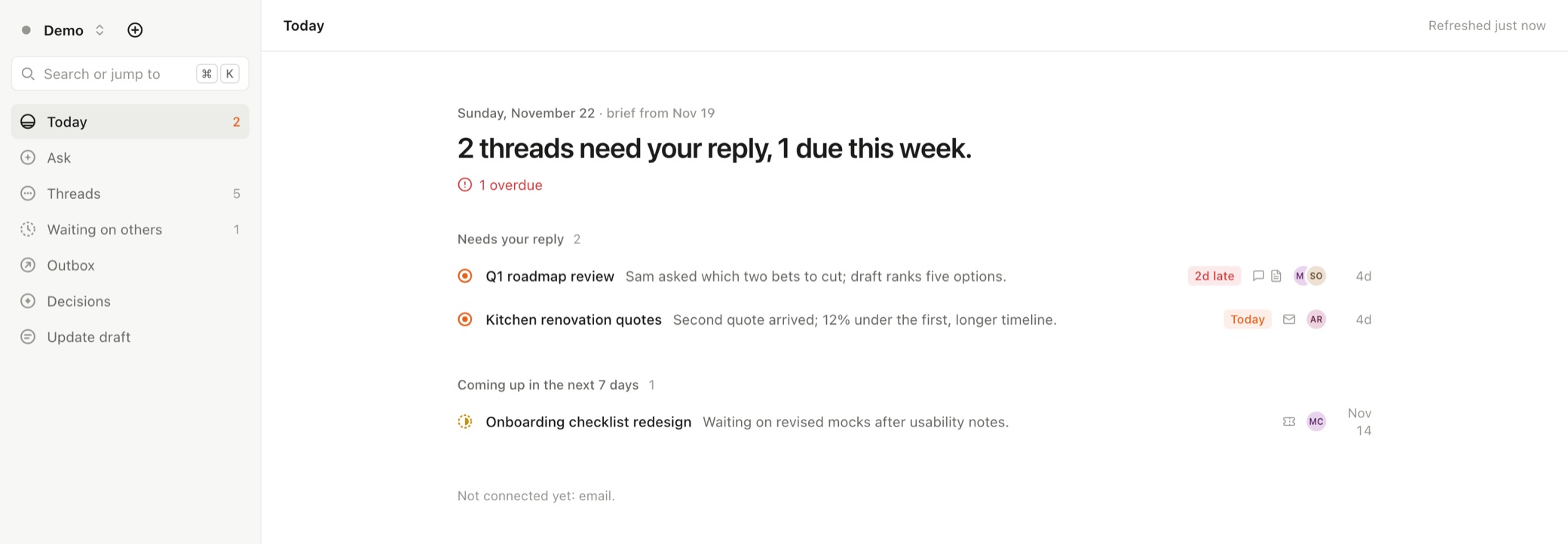
Product work arrives everywhere at once: chat, docs, tickets, meetings, email. Reading it is easy. Keeping track of it is not: which threads are still open, who owes whom a reply, and what was already decided. Inboxes sort by time, not by what needs me.
How it works
- Gather. A read-only agent run collects what changed in chat, docs, tickets, calendar and meeting notes.
- Hand off. It writes one JSON file in a small, versioned format. Any script can produce it, so adding a source needs no app change.
- Merge. Work OS folds it into threads by a stable key, appends new activity once, and logs decisions. It refreshes on a schedule or with Refresh now.
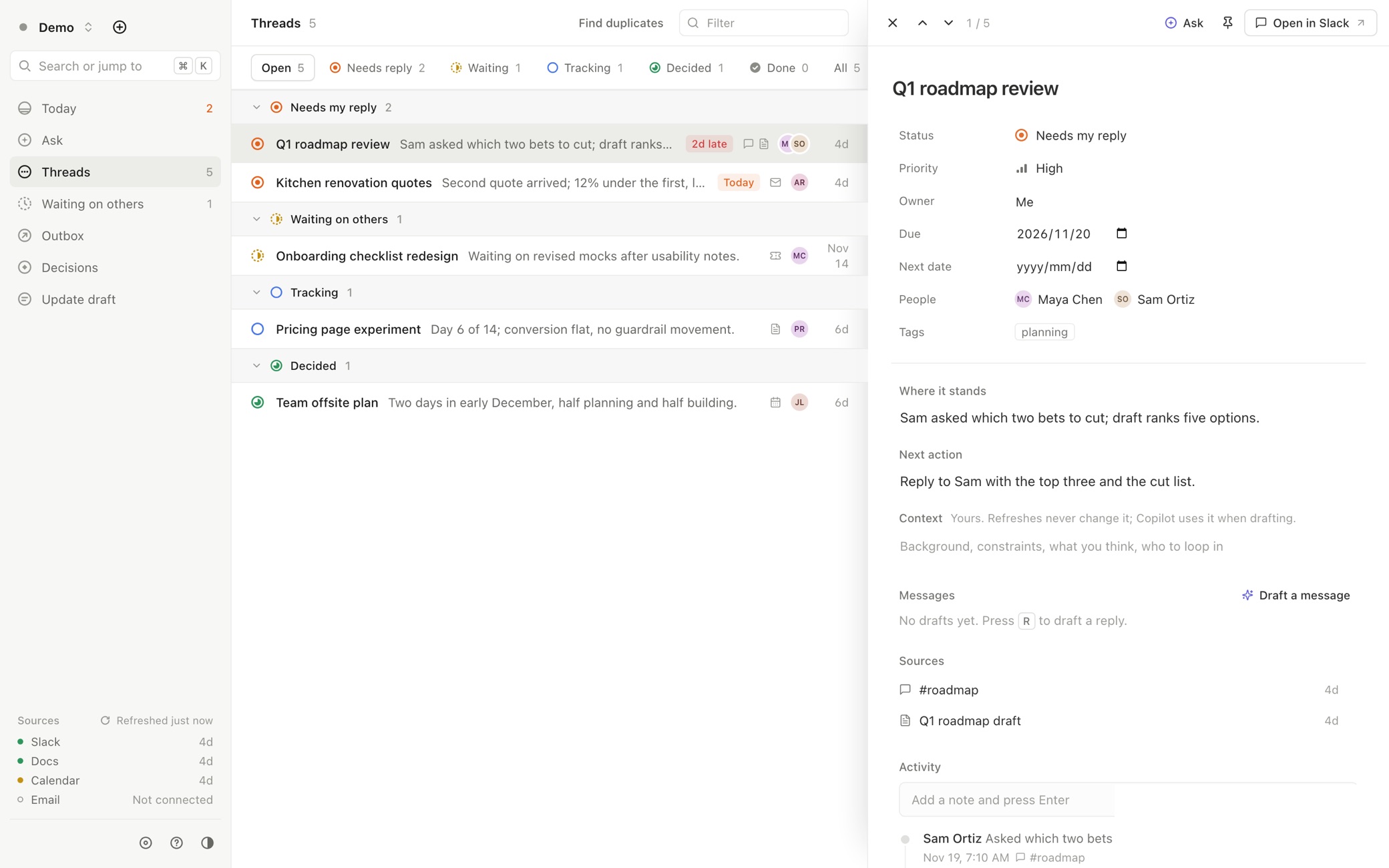
- Work. Today, Threads, Waiting on others, Decisions and a weekly Update draft, plus Ask to question the whole workspace.
Design choices
Private by default
It runs on my own computer and only answers there, unless I turn on private remote access for chosen workspaces. Data lives outside any Git folder, and a check blocks real data from ever being committed.
Nothing sends on its own
Replies and nudges are drafts. I approve one into the Outbox, then copy and send it myself.
My edits win
If I change a status or summary, later refreshes leave it alone and suggest a change instead of overwriting me.
Keyboard first
j/k to move, 1–5 to set status, r to draft, ⌘K for everything else.
Agents only read
The agents that gather context get read-only tools. Anything that changes the outside world goes through me.
One app, many workspaces
Work and personal stay separate. Work workspaces stay off my other devices unless I opt them in.
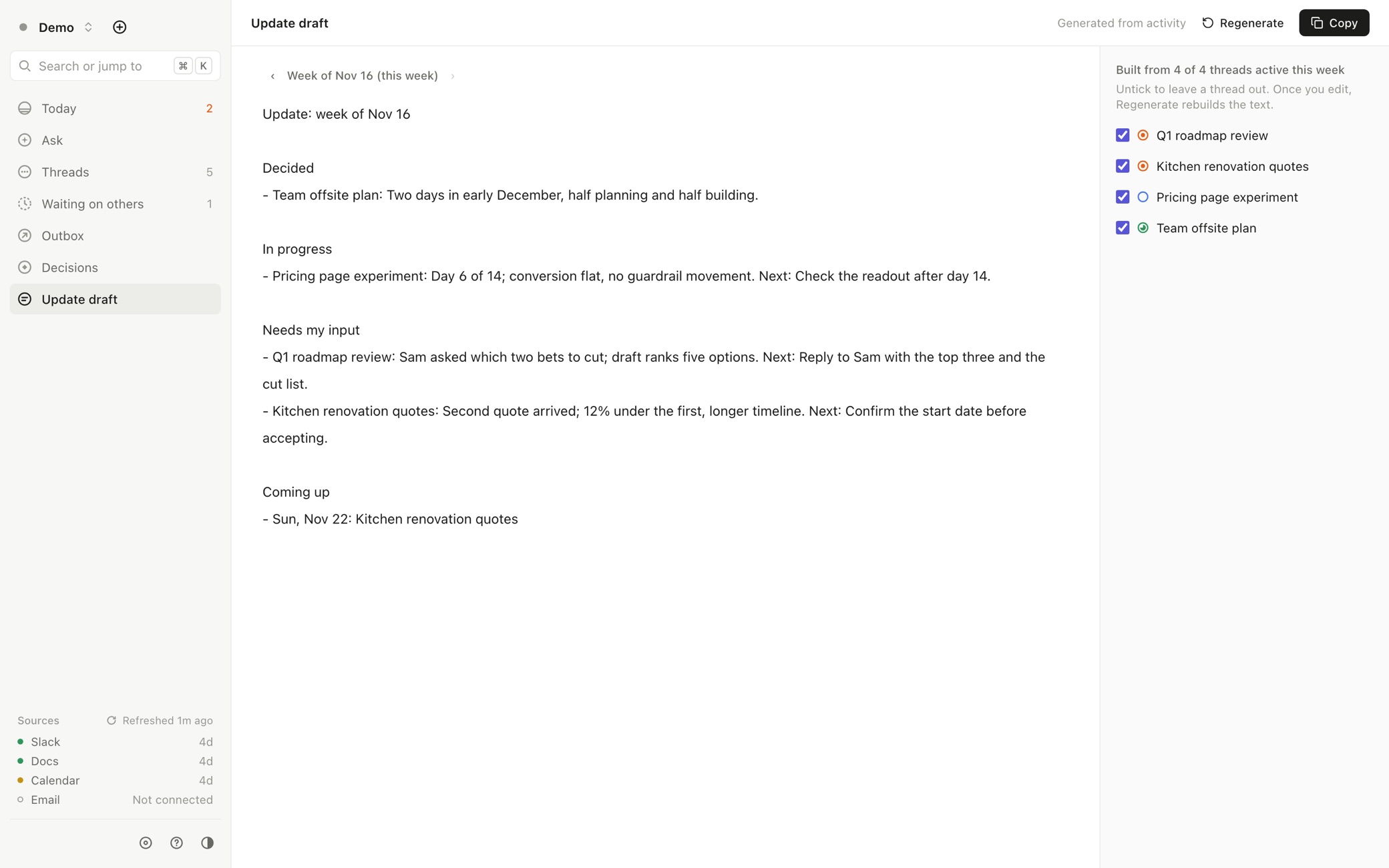
Screenshots and the demo use made-up data. In the demo, Ask and drafting follow simple rules instead of Copilot, and Refresh only pretends to run. The code is on GitHub, in a private repository, so the link only opens for people I've given access.